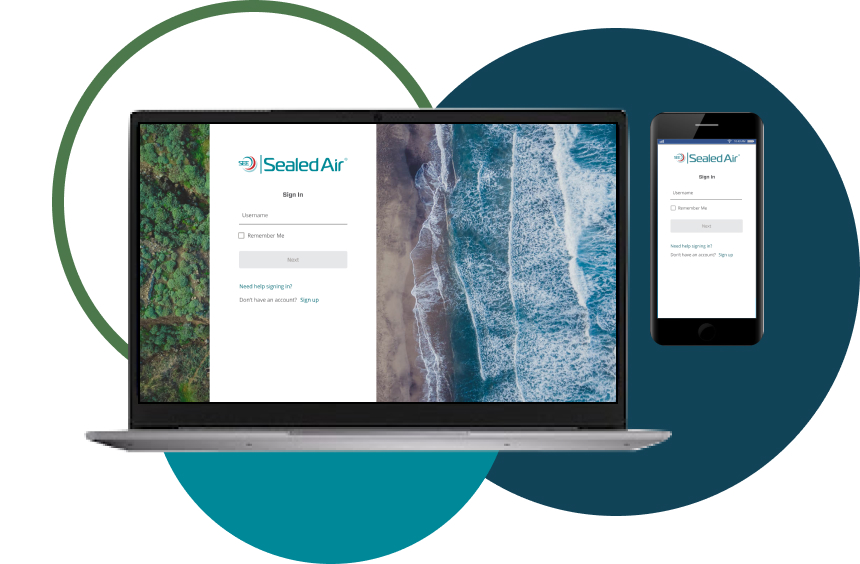
About:
After the success of SEE Shop, the business decided to move e-commerce to the Shopify platform. This would allow for quicker development time, as many features needed were already coded.
Platform: Responsible web
My role:
Senior UX Designer
Responsible for research, feature prioritization, user testing, blue prints, maps, mockups and prototypes.
Worked with PM, three engineers, content strategists and UX Research.

Objective:
To take what we had learned from SEE Shop and apply it to a Shopify product, while maintaining Sealed Air design standards and business objectives.
Goals:
- Move e-commerce to Shopify to reduce development times and bugs.
- Prioritize mobile designs.
- Modernize UI. SEE Shop was heavy on the Jewel Blue brand color. Let’s brighten it up.
- Bring more imagery to the website.
- Reduce the number of tables and give it a more B2C e-commerce feel.
- Expand cart capabilities.
- Notify user when they have qualified for free shipping.
- Allow products to be grouped in separate shipments.
- Improve layout and information hierarchy.
- Increase the information available on past orders.
- Streamline how users interact with Customer Service.
- Allow users to submit and view tickets through the e-comm help page.
- Add FAQs.
- Include a dashboard tour users could always access, to remind them of basic features and how to best use them.
What I did:
- Created process flows illustrating a customer’s journey from login to checkout.
- I highlighted positive interactions – areas we knew flowed smoothly and garnered positive feedback from users.
- I also identified areas of opportunity – spots where we still had unknowns or road blocks that could prevent adoption of the tool.
- Built wireframes and prototypes to brainstorm with product owners and designers.
- Designed desktop and mobile high-fidelity designs to deliver to development.
- Ensured Sealed Air design standards were being met
- Identified and designed features that were not out-of-the-box.
- Educated contract designers on Sealed Air business practices and processes.
To start, I thought through what the desired flow of the site would be based off what we learned from SEE Shop and what areas could we let our user down? What areas could they get stuck or need to call Customer Service? Moving this process to a touch-free experience was a big priority for the business stakeholders.
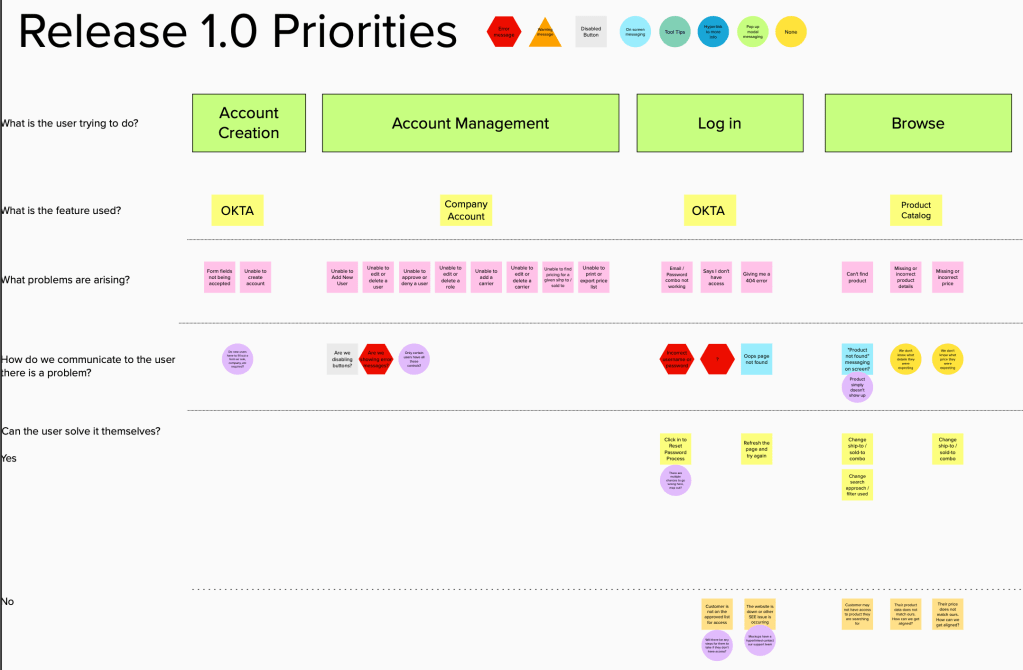
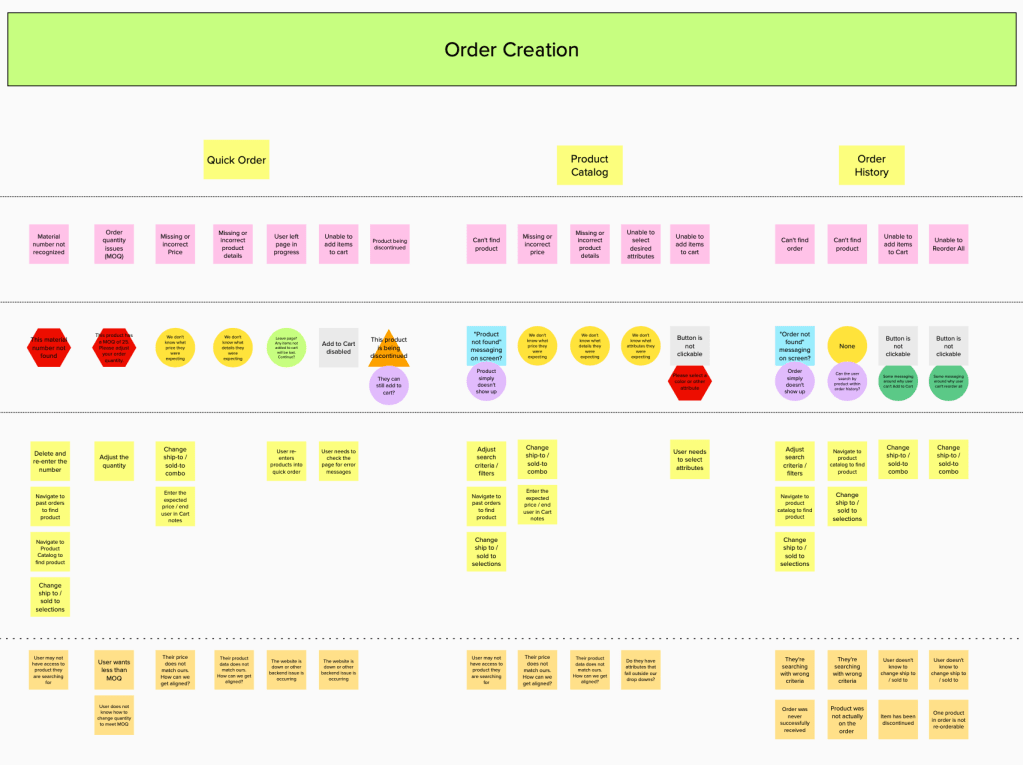
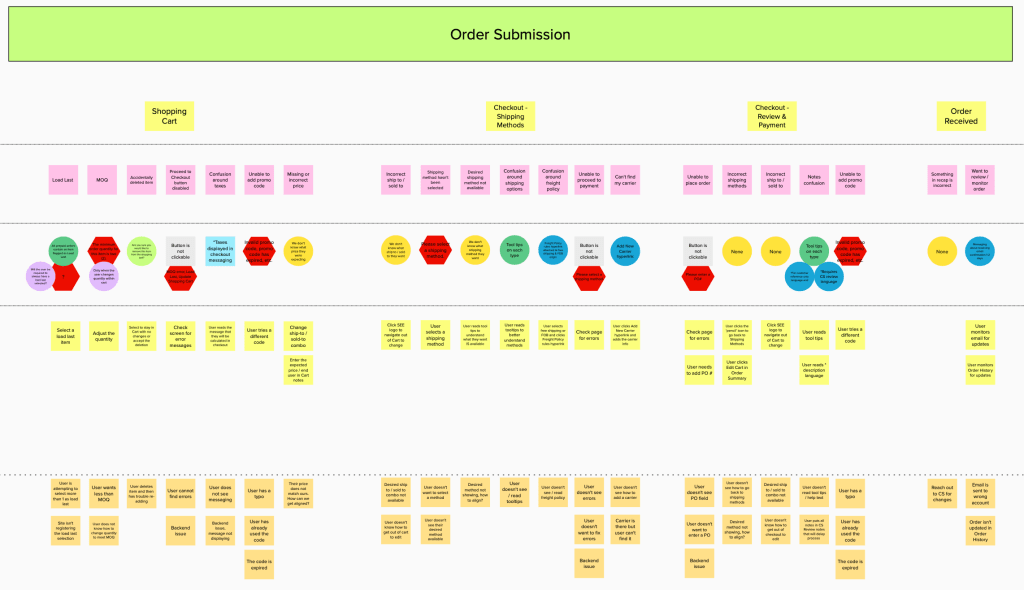
From here it was an all-hands-on-deck push for designs. We were a team of about 8 designers for a while pulling together designs for the site that leveraged existing Shopify functionality.
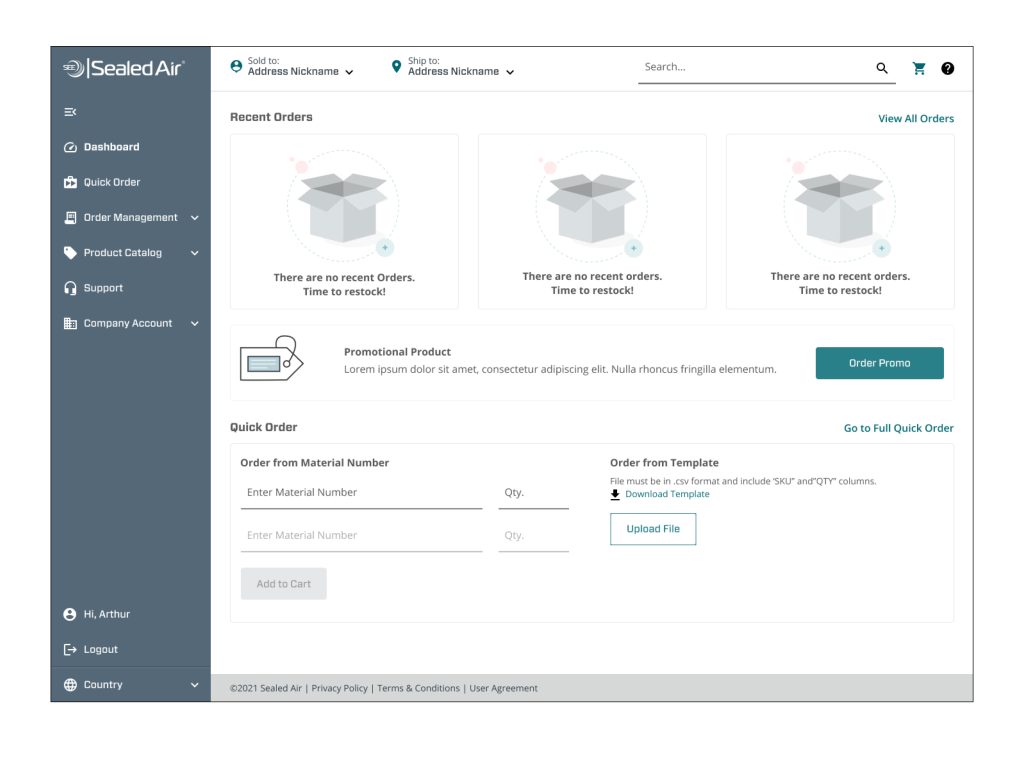
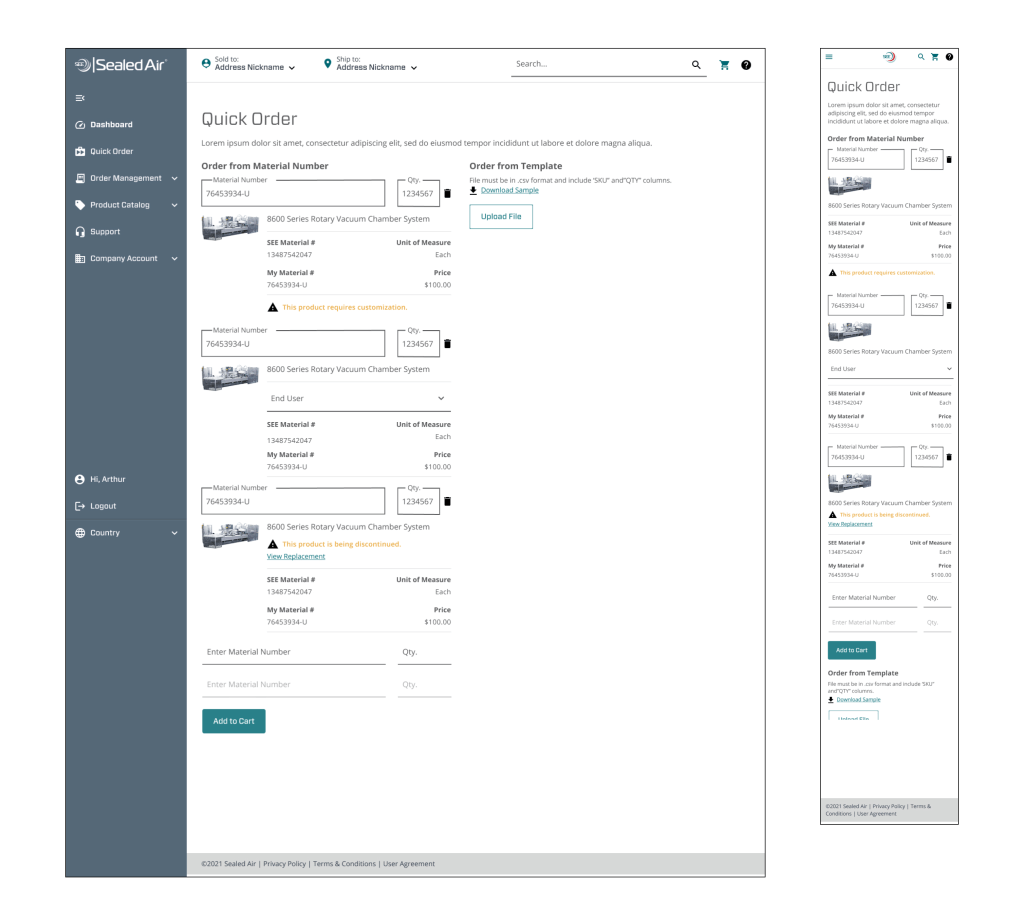
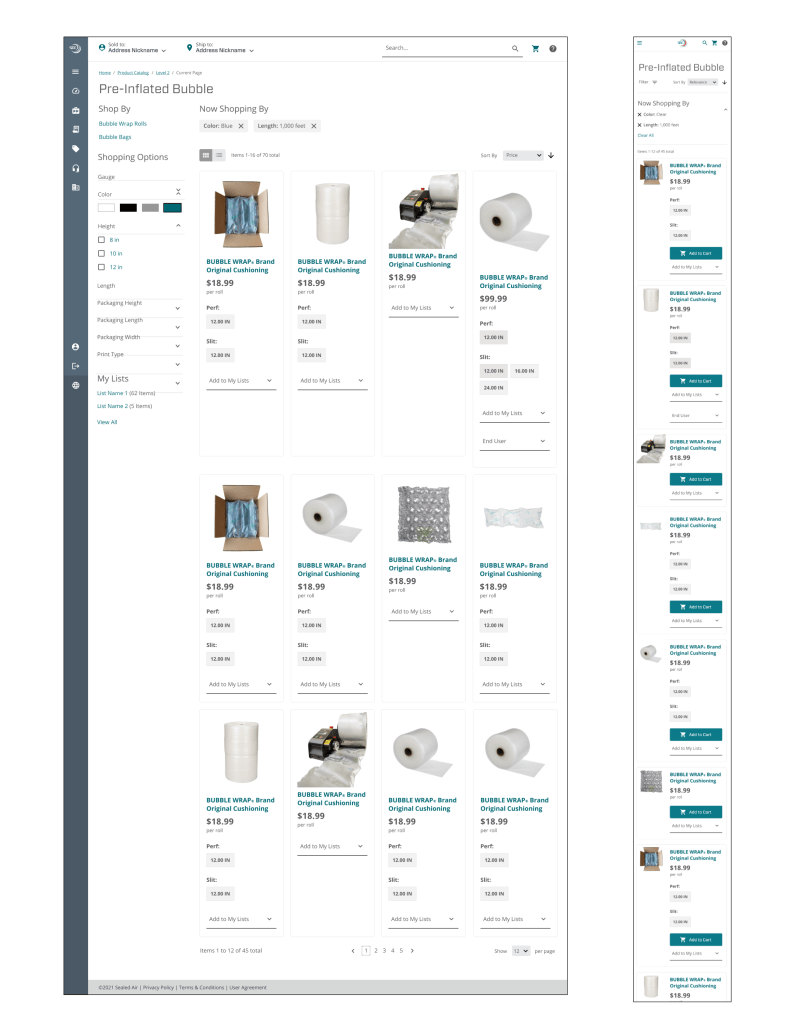
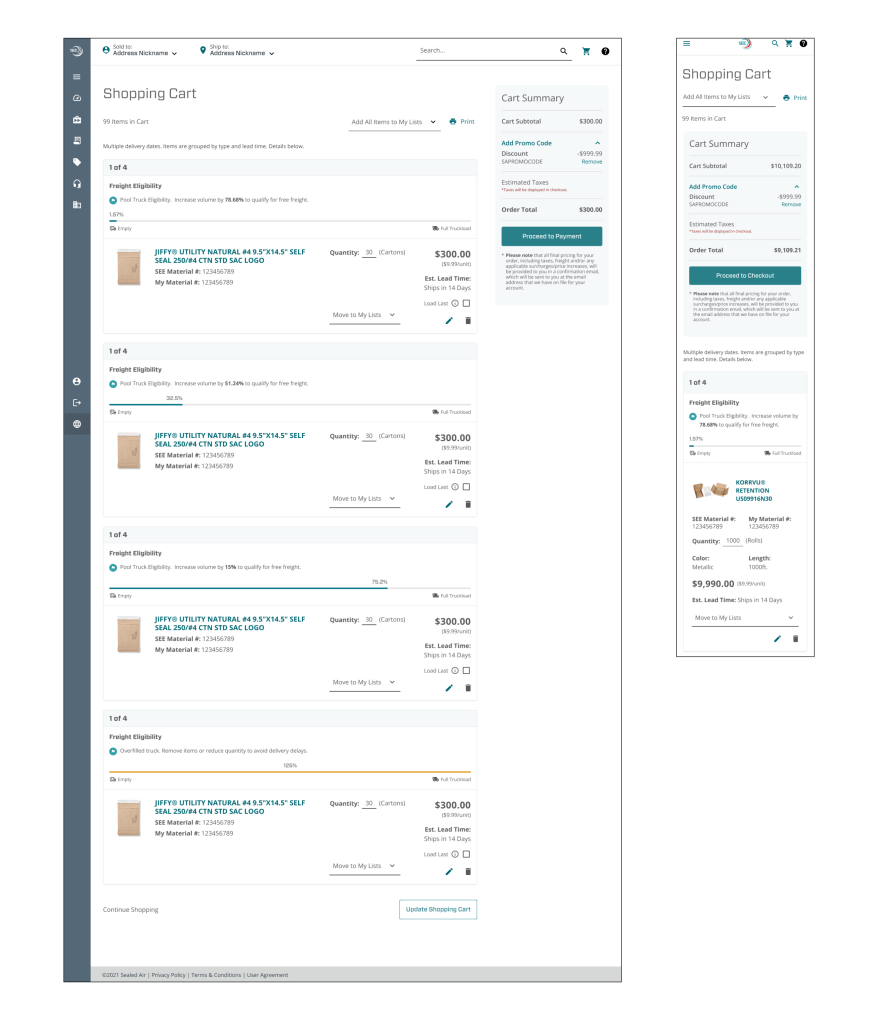

MySEE does the following:
- Responds to screen sizes, adapting from desktop to mobile with ease.
- Brings in white space, giving the site a sense of sophistication.
- Provides product images in the Product Catalog, increasing confidence that the user is looking at the right item.
- Allows the user to favorite Sold to and Ship to addresses, making their most common selections easily available.
- Includes shipping information for individual products, increasing visibility to statuses and easily allowing re-orders.
- Improved the layout of Quick Order, allowing for imagery and more information for each product.
- Calculates how full a truck is in Cart. This communicated to the user how close they were to free shipping, a big goal for many distributors.
At the time that I left Sealed Air, the priority for e-commerce had shifted to bring on our Food Care Customers. Up to this point, we had only focused on our Product Care sector, aka bubble wrap, Korrvu, Instapak, etc. The Food Care sector is more complicated in the way orders are submitted and processed.


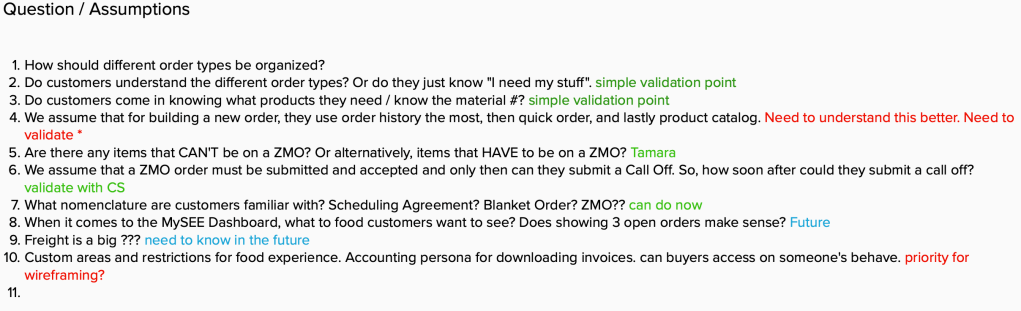
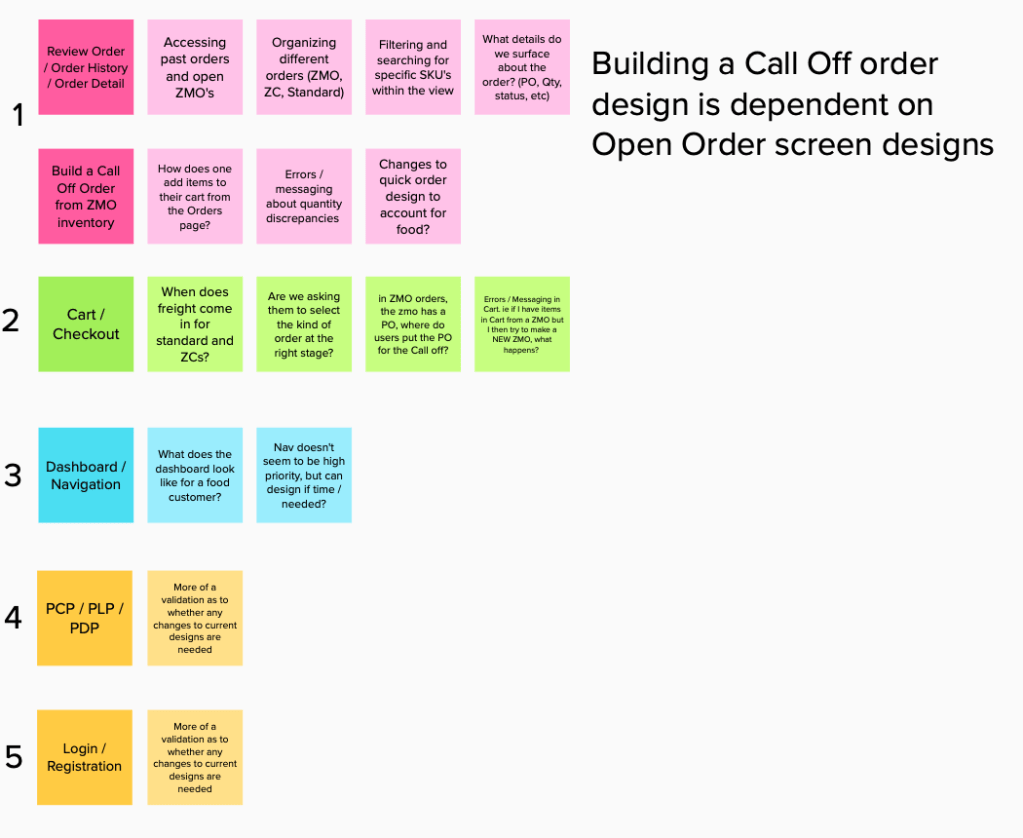
With Product Care, it’s one way to order; you add your products to your cart, enter your PO and move on. With Food Care, there are multiple ways to order – Standard Orders, Scheduling Agreements and Call Offs.
I started by thinking through the flow and dependencies of each order.
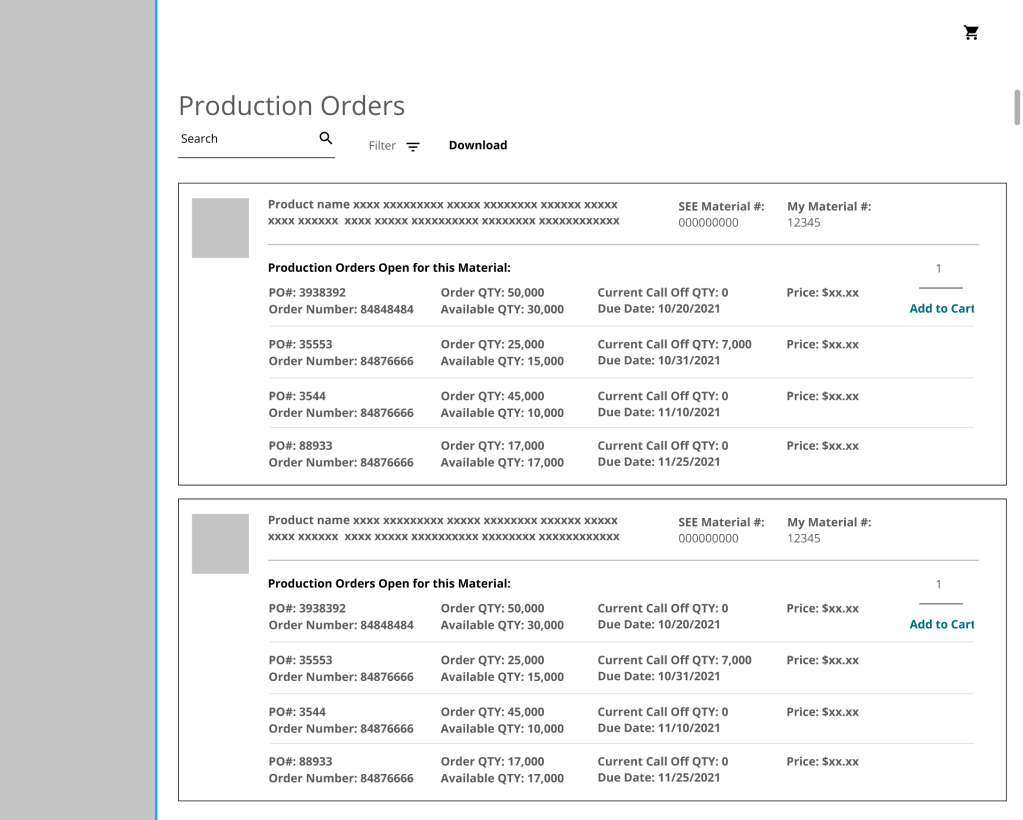

From there, the next step was taking the information to the wire-framing stage. I worked closely with Customer Service to better understand the necessary information that was displayed for the relationship between Production Orders and Call Offs and what data was important to the user. This gave me the groundwork for the first iteration of wireframes.
Customer Service and our product stakeholders were excited about the potential of where the wireframes were going. As we moved into the next iteration and thinking about how to transition addition work to high fidelity mockups, my Sealed Air journey came to an end.
 Hali Diaz